Subscribe to Posts by Email

Subscriber Count

    705

Disclaimer

All information is offered in good faith and in the hope that it may be of use for educational purpose and for Database community purpose, but is not guaranteed to be correct, up to date or suitable for any particular purpose. db.geeksinsight.com accepts no liability in respect of this information or its use. This site is independent of and does not represent Oracle Corporation in any way. Oracle does not officially sponsor, approve, or endorse this site or its content and if notify any such I am happy to remove. Product and company names mentioned in this website may be the trademarks of their respective owners and published here for informational purpose only. This is my personal blog. The views expressed on these pages are mine and learnt from other blogs and bloggers and to enhance and support the DBA community and this web blog does not represent the thoughts, intentions, plans or strategies of my current employer nor the Oracle and its affiliates or any other companies. And this website does not offer or take profit for providing these content and this is purely non-profit and for educational purpose only. If you see any issues with Content and copy write issues, I am happy to remove if you notify me. Contact Geek DBA Team, via geeksinsights@gmail.com

Pages

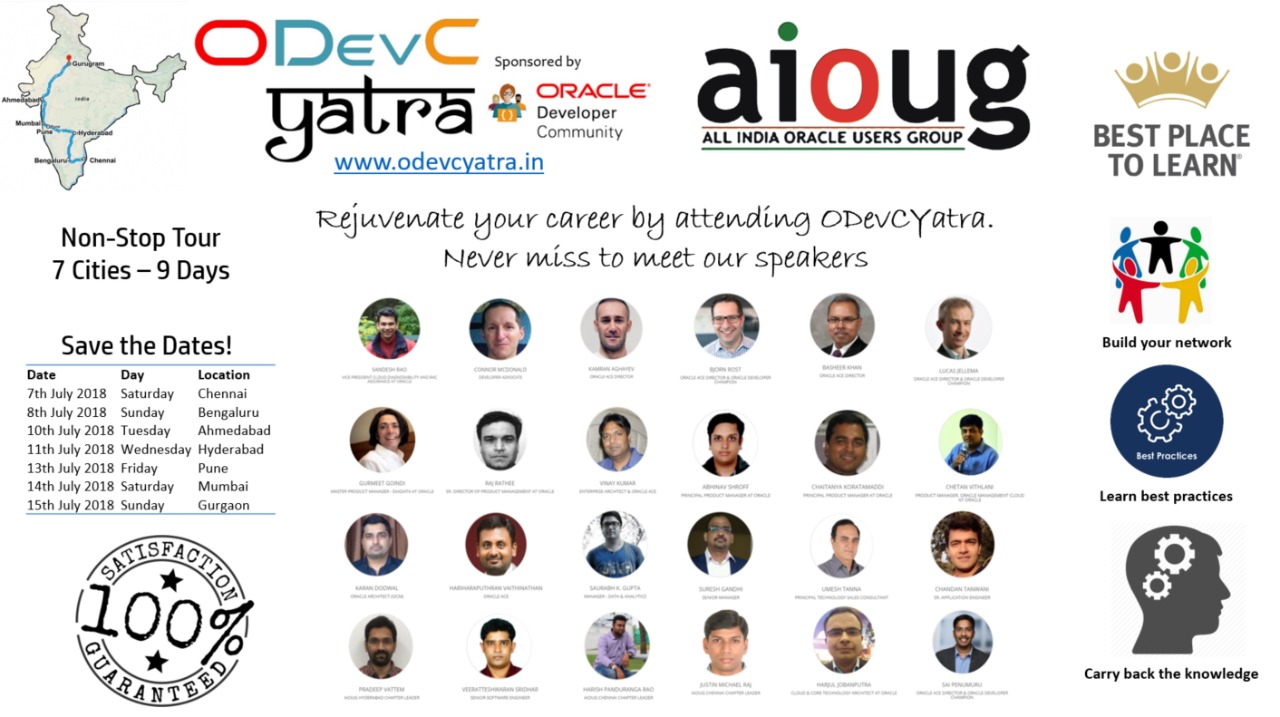
AIOUG – ODevC Yatra – 11th July – Hyderabad – I am speaking

Hello,

I am speaking at ODevC Yatra about Docker : Oracle Container Registry. This tour spans 7 major cities for 9 days with great speakers around the world.


Dates & Registration Link for all Cities:- http://odevcyatra.in/register/

Don't miss it and register here (early bird offer until 17-Jun-2018) :-  http://odevcyatra.in/hyderabad-registration/

Sessions Agenda in Hyderabad :- http://odevcyatra.in/hyderabad/

See you there !!!

-Thanks

Suresh

18c Database : SQLPLUS New Options

The following three options introduced in 18c are very useful for DBA's.

I am sure how many of you find hard to limit the rows in Oracle and also finding sql_id for the statement executed. Now that has been solved.

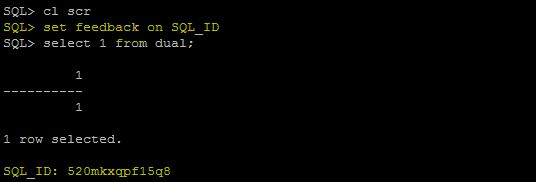
SET FEEDBACK ON SQL_ID

You can find the sql_id for the executed statement in the sqlplus without querying v$sql or dbms_xplan.display_cursor. Here is how

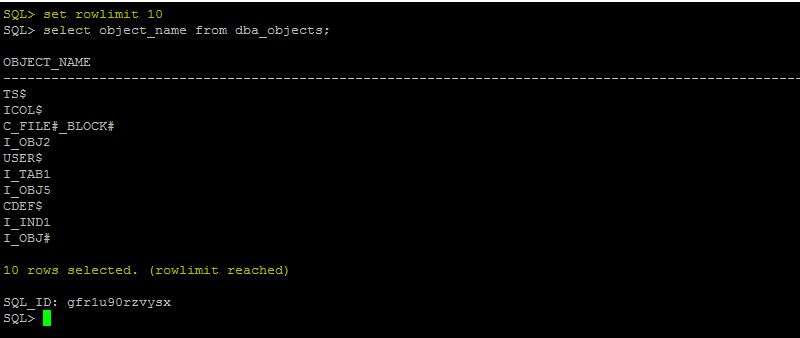
SET ROWLIMIT n

Limit the Number of rows in the sql prompt, without using rownum

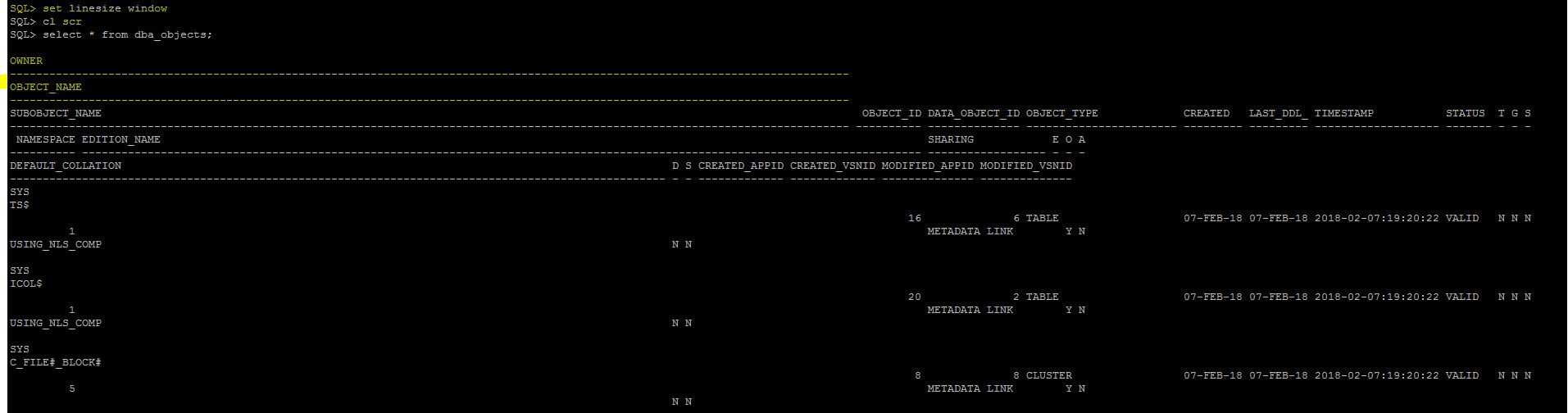
SET LINESIZE WINDOW

Setting Columns to adjust to the windows is no more required, you can use WINDOW option

-Thanks

Suresh

18c Database : Rollfoward Standby using Service

In the event of gap or lot of archive pending we generally do a rollfoward recovery of standby using backup incremental from that SCN. This is simplified in 18c and we can use service with RMAN command.

  • With 18c, you can now refresh the Standby using Service which is introduced in 12cR1.
  • In previous versions you can recover datafiles, blocks etc but not stand by refresh
  • You will have to use rollforward mechanism to syncup the standby
  • With single command we can refresh the (aka rollforward) the standby

       SQL> RECOVER STANDBY DATABASE USING SERVICE primary PFILE=pfilename;

That's it ...

Suresh

18c Database : Oracle Sharding Enhancements

Some important enhancements to Oracle Sharding.

Now Supports CDB with a single PDB attached to it

  • GSDCTL has new commands “add cdb”
  • Supports CDB which has only one CDB

User Defined Sharding methods

  • In previous releases the tablespaces are related to a tablespace set
  • In user defined sharding , we can specify our own tablespaces
  • Then add those tablespaces to shardspace
  • Then add the shards, shard catalog

Consistency Levels for Multi Shard Queries –

  • Initialization Parameter MULTISHARD_QUERY_DATA_CONSISTENCY
  • Strong - SCN synchronization is performed across all shards
  • Shard_local - SCN synchronization is not performed across all shards. Data is consistent within each shard
  • Delayed_standby_allowed - SCN synchronization is not performed across all shards. Data is consistent within each shard. This setting allows data to be fetched from Data Guard standby databases when possible

Thanks

Suresh

18c Database : Scalable Sequences

In 18c, the sequences can be scalable. Means the sequences will have an append of extra numbers with following formula.

scalable sequence number = 6 digit scalable sequence offset number || normal sequence number

6 digit scalable sequence offset number = 3 digit instance offset number || 3 digit session offset number.

The 3 digit instance offset number is generated as [(instance id % 100) + 100]. The 3 digit session offset number is generated as [session id % 1000].

This will help to relieve the index contention and sequence cache problems in RAC since the value has large difference in values, this sequences are useful in typical loads where non primary /unique based key constraint data is not there.

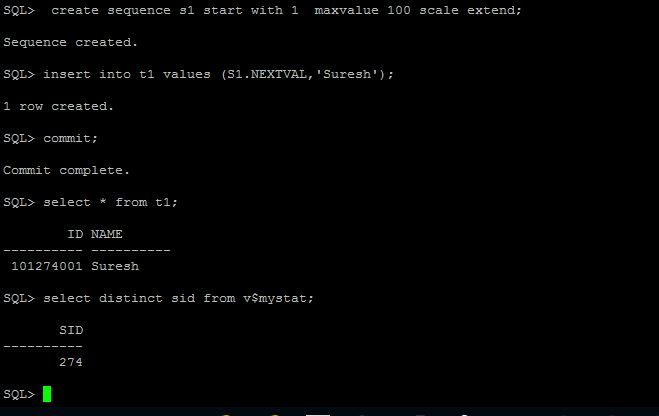
As you see the ID column value of next val is showing as 101274001, instead of 1. So if we interpret the above formula

Instance 1 = 1/100 - 100.1 --> round to 101.

SID = 274

00 = Prefix to scale the sequence with three digits

1 - Original sequence number

101||274||001

You can also have extend, no extend option with scale when you create scalable sequences.

-Suresh

18c Database : Duplicate PDB with RMAN

In 18c, we can use RMAN command DUPLICATE to copy the PDB into an existing CDB. In previous releases we need to clone that to a new CDB and unplug and plug into a current CDB.

Only active database based duplication is allowed and only one PDB is supported. Log file name convert and spfile parameters also not supported.

Connect AS TARGET to the root of the source CDB as a common user with the SYSDBA or SYSBACKUP privilege.

Connect AS AUXILIARY to the root of the destination CDB as a common user with the SYSDBA or SYSBACKUP privilege.

DUPLICATE PLUGGABLE DATABASE pdb1dup TO cdb1
DB_FILE_NAME_CONVERT('cdb1','pdb1')
FROM ACTIVE DATABASE
SECTION SIZE 400M;

-Thanks

Suresh


18c Database : Encrypt DB Link Passwords

In previous releases of Oracle, the database links and scheduler links password are stored in password column in sys.link$ and sys.scheduler$_link table, however the passwords are obfuscated not encrypted.

We can encrypt the obfuscated password in 18c using "alter database dictionary" command.

Create a keystore and define encryption method

ADMINISTER KEY MANAGEMENT CREATE KEYSTORE '/etc/ORACLE/WALLETS/orcl' IDENTIFIED BY password;
ADMINISTER KEY MANAGEMENT SET KEYSTORE OPEN IDENTIFIED BY "password";
ADMINISTER KEY MANAGEMENT SET ENCRYPTION KEY IDENTIFIED BY "password" WITH BACKUP;

Alter dictionary to encrypt the credentials

ALTER DATABASE DICTIONARY ENCRYPT CREDENTIALS;

For all in a container database use

ALTER DATABASE DICTIONARY ENCRYPT CREDENTIALS CONTAINER = ALL;

Now the password columns in the link$ and scheduler$_link passwords are encrypted. When you do export and import you must provide the encryption password for wallet to ensure the passwords are decrypted while  expdp/impdp

-Suresh

18c Database : Integration with Microsoft Active Directory

Starting 18c, you can integrate the oracle database with Microsoft active directory services which will be a great feature and long awaiting one, Until now many of us using open ldap or third party ldap services to configure the same which is a overhead to the sys admins to manage two different directory services for user management and authentication for oracle databases.

This will be same like as configuring LDAP services with proper domain and user name and using ldap.ora file only, but if you have already a ldap in use, you can create a file called dsi.ora appending DSI_ prefix to the parameters. That means you can have ldap and ad both working as authentication mechanisms for database.

The high level steps involved in this are:-

Sysadmin:

  1. Create a Active directory user account and configure read privileges on the domain we need.
  2. Extend the Active directory schema for Oracle specific attribute

DBA:

On the database host. and edit ldap.ora or dsi.ora file

DSI_DIRECTORY_SERVERS = (ad-server.test.com:389:636)
DSI_DEFAULT_ADMIN_CONTEXT = "o=test,c=US"
DSI_DIRECTORY_SERVER_TYPE = ad

The parameter in ldap.ora/dsi.ora  "DIRECTORY_SERVER_TYPE = ad" need to set to ad (active directory)

Create certificates for secure connections

For Oracle Database, use the orapki utility to get the Oracle Database server certificate.

orapki wallet add -wallet ./ -pwd pwd -dn "CN=`hostname`, OU=Department, O=Company, L=City, ST=Street, C=Country"  -keysize 1024 -self_signed -validity 365

For Active directory , use active directory certificate generate process to obtain certificate.


Configure the database with AD authentication

./dbca -silent -configureDatabase -sourceDB ad -registerWithDirService true -dirServiceUserName cn=example,cn=users,dc=adintg,dc=examplecorp,dc=com -dirServiceUser oracle -dirServicePassword password -ldapDirectoryAccessType PASSWORD -walletPassword password

ALTER SYSTEM SET LDAP_DIRECTORY_ACCESS = 'PASSWORD';

ALTER SYSTEM SET LDAP_DIRECTORY_SYSAUTH = 'yes';

-Thanks

Suresh

AIOUG Hyderabad – Oracle Autonomous Database 18c

Hi

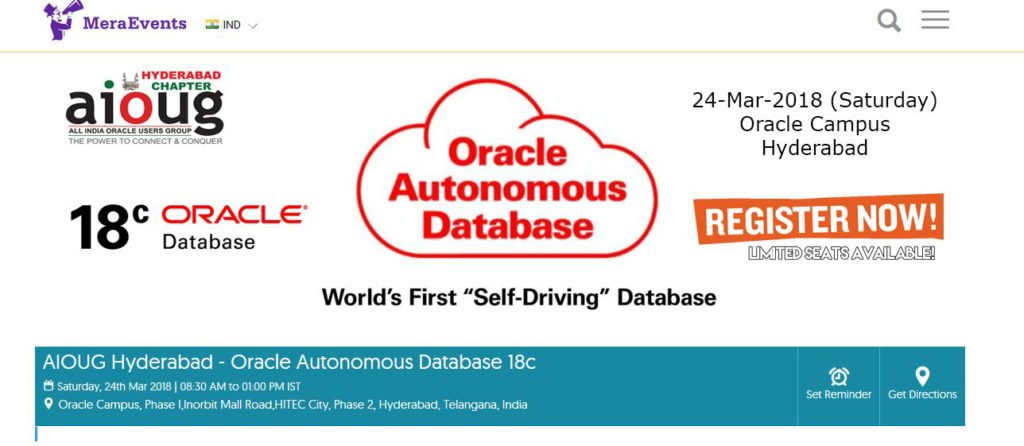
AIOUG Hyderabad chapter conducting free half day seminar on 18c Database and I am speaking on 18c New Features.

Please register for free either click on image or below link and seats are limited.

aioug-hyderabad-chapter-18c autonomous database seminar
https://www.meraevents.com/event/aioug-hyderabad-oracle-autonomous-database-18c

I am speaking too
Time Topic Speaker Info
08 30 AM - 9 00 AM - Registrations
9 00 AM - 9 15 AM -  Introduction to AIOUG Mukesh Sharma (Delivery Head, Tech M)
9 15 AM - 09 45 AM - Journey of Autonomous Database Pradeep Vattem (Oracle Evangelist, AIOUG Hyderabad Chapter)
09 45 AM - 10 30 AM - Oracle Autonomous Database cloud Datthathiri Srinivasan (Director Oracle)
10 30 AM - 10 45 AM - Tea Break/Networking
10 45 AM - 11 45 AM - New Features of 18c Suresh Gandhi (Senior Manager, Qualcomm, Technology Director IAOUG)
11 45 AM - 12 30 PM - Oracle Autonomous Data warehouse Cloud Datthathiri Srinivasan (Director Oracle)
12 30 PM - 1 PM - Technical Discussion & Closing Lighting Talk

18c Database : Image based Installations

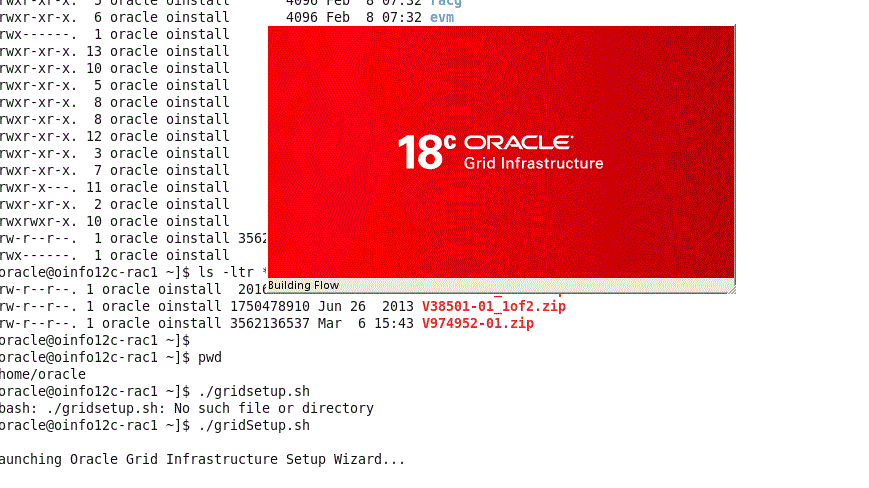
Starting 18c, the software zip file from Oracle contains the Oracle Home itself, means its already extracted and you can unzip it in the required folder where the intended folder to be a oracle home. The installation process just Relinks it. This facilitates the faster Oracle Home provisioning and rapid deployments.

Two Important changes in terms of Installation procedure.

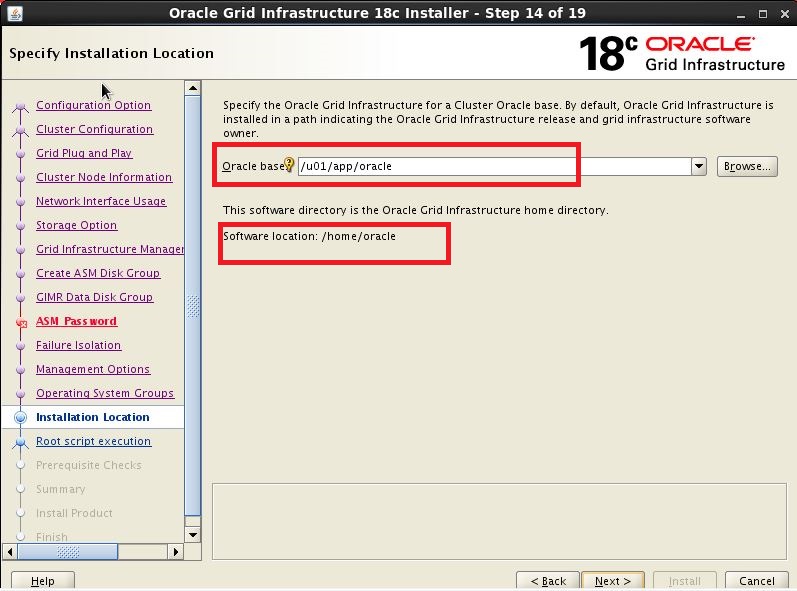
Firstly, I have uncompressed the software mistakenly into /home/oracle and that became my home, In installation process the oracle home was never asked.


18c-grid18


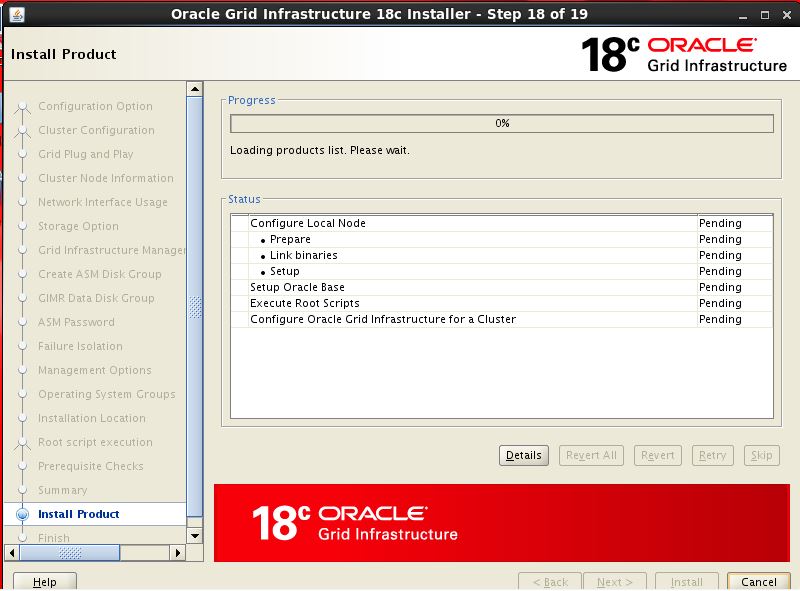
Installation process does not contain extracting software or copying Oracle Home step, just contain relink step

18c-grid21


Secondly, Unlike we run runInstaller from extracted folder we should run dbsetup.sh and gridSetup.sh so it invoke the Installer.


18c-grid1

In next post I will cover the Installation of 18c grid infrastructure software.

-Thanks

Suresh